Login

Log in

Forgot Username or Password ?
New Here? Create an account
StellarMate
  • Home
  • Products
    • Feature Tour
    • StellarMate OS
      • For Raspberry PIFor Raspberry PI
      • For Mini PCFor Mini PC
      • Bundle (Raspberry PI + Mini PCs)Bundle (Raspberry PI + Mini PCs)
    • StellarMate X Controller
    • StellarMate Pro 128GB
    • StellarMate Pro 64GB
    • Professional Services
    • Ekos Live
    • Distributors
      • USAUSA
      • Canada (Astronomy Plus)Canada (Astronomy Plus)
      • Canada (Telescope Canada)Canada (Telescope Canada)
      • Canada (Ontario Telescope)Canada (Ontario Telescope)
      • United Kingdom (First Light Optics)United Kingdom (First Light Optics)
      • United Kingdom (Dark Clear Skies)United Kingdom (Dark Clear Skies)
      • United Kingdom (365 Astronomy)United Kingdom (365 Astronomy)
      • EuropeEurope
      • SwitzerlandSwitzerland
      • ChinaChina
      • JapanJapan
      • Australia (Bintel)Australia (Bintel)
      • Australia (Optics Central)Australia (Optics Central)
    • View Cart
  • Downloads
    • StellarMateOS
    • Ekos
    • Mobile App
    • StellarMate Tools
    • Documentation
  • Devices
    • Adaptive Optics
    • Auxiliary
    • Cameras
    • Dust Caps
    • Light Box
    • Domes
    • Filter Wheels
    • Focusers
    • Mounts
    • Rotators
    • Observatory Controllers
    • Weather Stations
  • Support
    • First Time Setup
      • StellarMate X
      • StellarMate Pro
      • StellarMate OS
    • Manual
    • Ekos
      • Setup
      • Analyze
      • Capture
      • Focus
      • Guide
      • Align
      • Polar Alignment
      • Scheduler
      • Observatory
      • Mount
        • Mount
        • Meridian Flip
    • FAQ
      • StellarMate
      • StellarMate Pro
      • StellarMate X
      • StellarMate App
      • Mounts
      • Cameras
      • Focusers
      • EkosLive
      • Scheduler
      • Calibration
    • Tutorials
      • Web Manager
      • VNC Viewer
      • GPS Dongles
      • Beta Releases
      • Powered USB Hubs
      • Remote Support
      • Direct Ethernet
      • Ekos Debugger
      • Connecting Bluetooth Mounts
      • Backup Restore
      • Telescopius Mosaic Import
    • Ekos Live
    • Account
    • Submit Ticket
    • View Tickets
    • Survey

Bee Focuser

Features

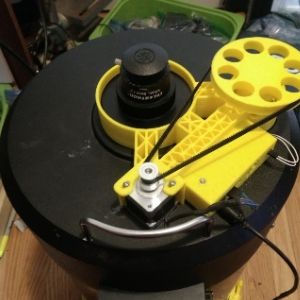
Beefocused is an Open Source Hardware/ Software Telescope Focuser The goal of the project is to create a high quality DIY focuser that's relatively easy to build and modify. It is fully open sourced.

  • Beefocused talks to the INDI computer using WiFi. This is nice because it means there's one less wire on the telescope to worry about. It does mean that the telescope needs a WiFi hotspot, but that's becoming more common now that people are running telescopes from compute sticks and Raspberry Pis that are mounted directly onto the scope.
  • The default built uses a Nema 14 Stepper motor for positioning - these motors are widely used by 3D printers. The Motor's step rate is 1.8 degrees (200 steps / rotation), so it's reasonably accurate.
  • The electronic parts for a Beefocused will cost you about $25 on eBay. That includes the Nema 14 Stepper Motor.
  • Beefocus focusers operate as either Absolute or Relative focusers, depending on the build. The focuser supports either automatic homing at start up or manual syncing.

 Operation

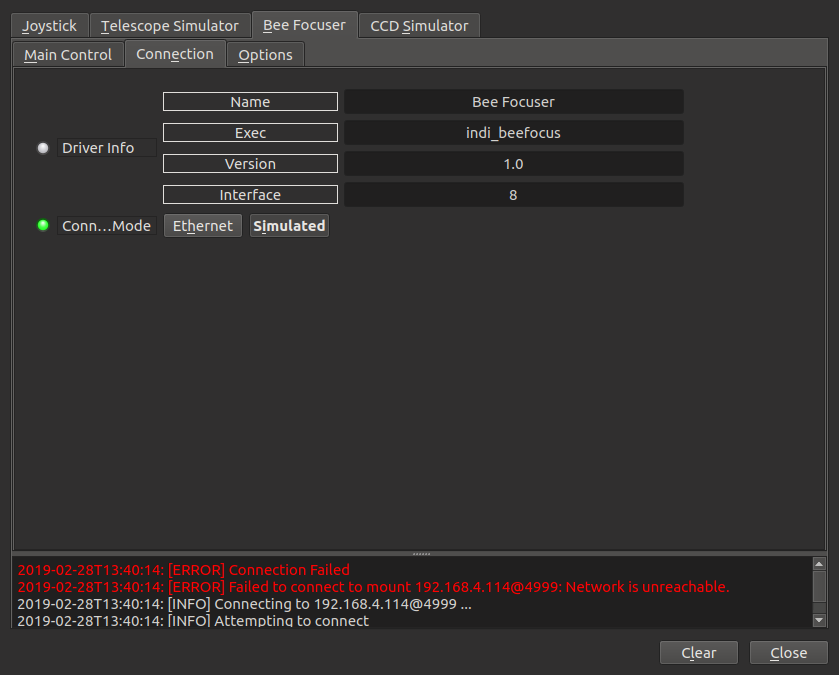
The Beefocused Indi driver has a "Simulation" mode that's very close to what you'll see if you use the actual hardware. Simulation mode is selected by going to the BeeFocused connection tab and selecting a Simulated connection
alt text

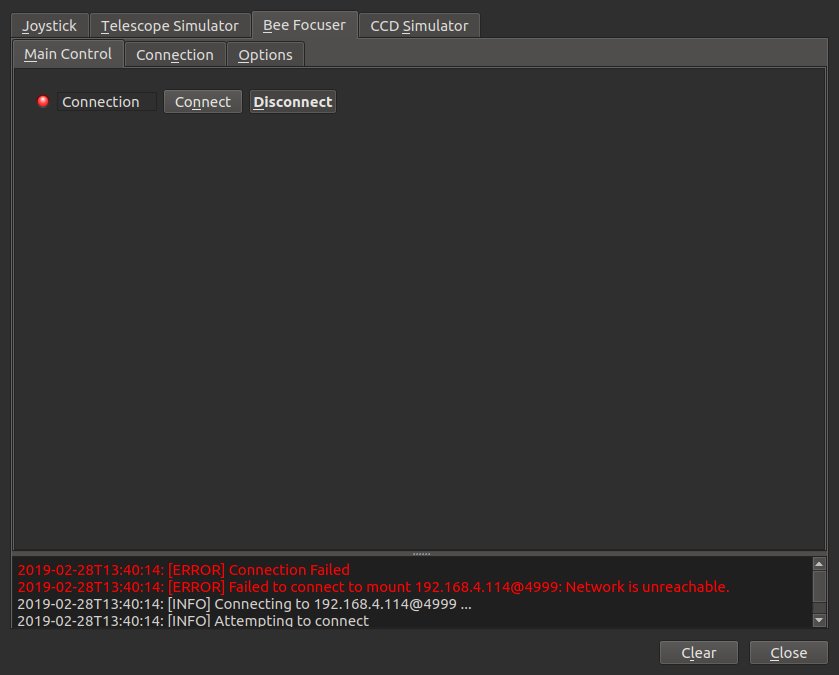
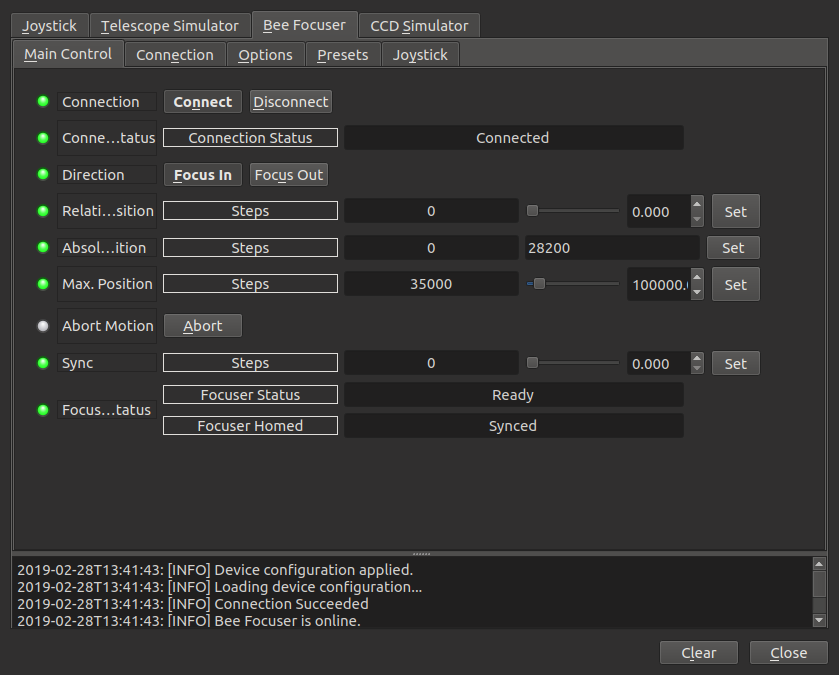
You'll need to go to the Main focuser menu and "connect" to the Simulated Focuser, the way you'd connect to an actual focuser.
alt text

alt text

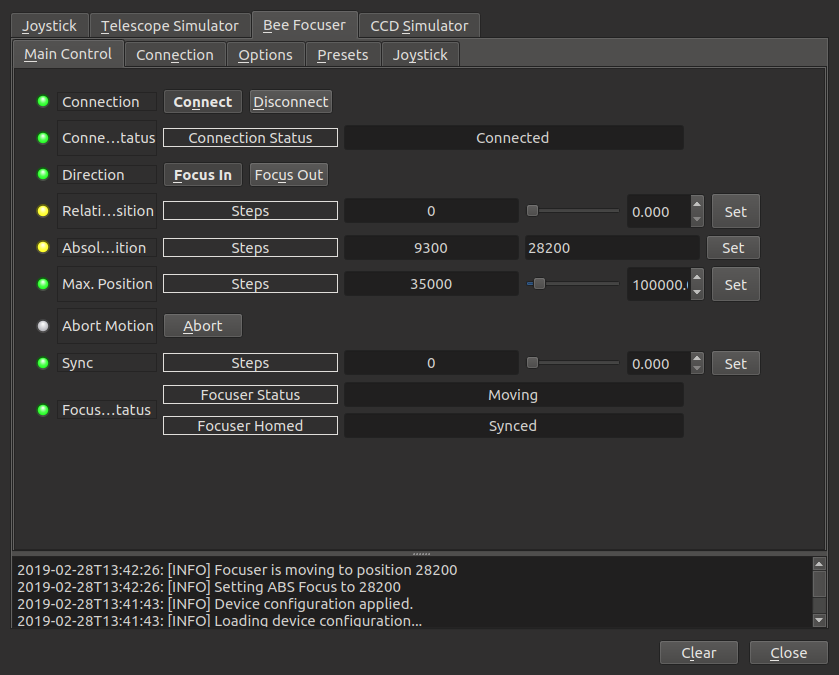
You can start moving the simulated focuser by pressing the Absolute Position Set Button. The Focuser Status message box will change from Ready to Moving, and the Absolute Position of the focuser will begin changing.
alt text

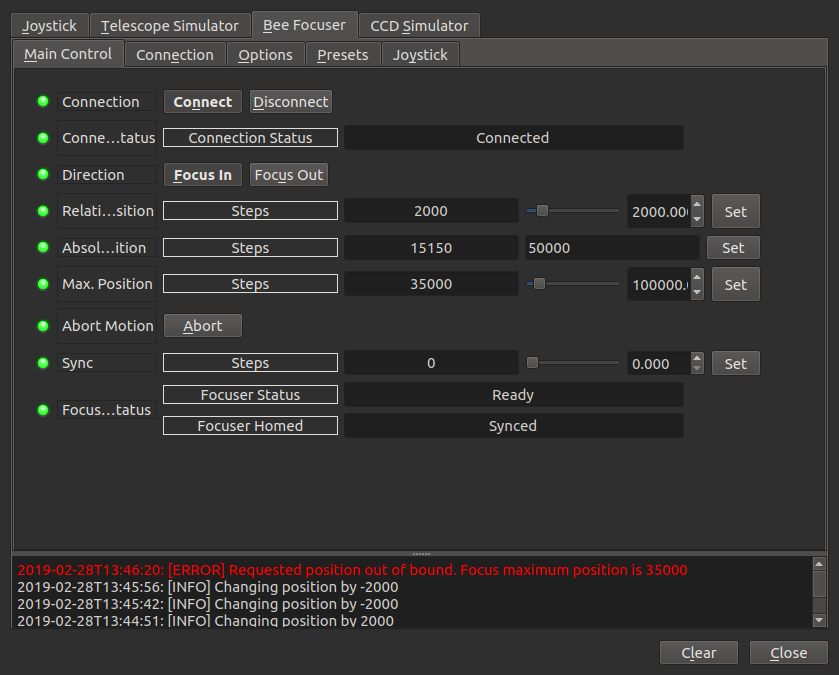
A move can be interrupted by pressing the Abort button. If you try to move the focuser past the Maximum Position the driver will generate an Error message
alt text

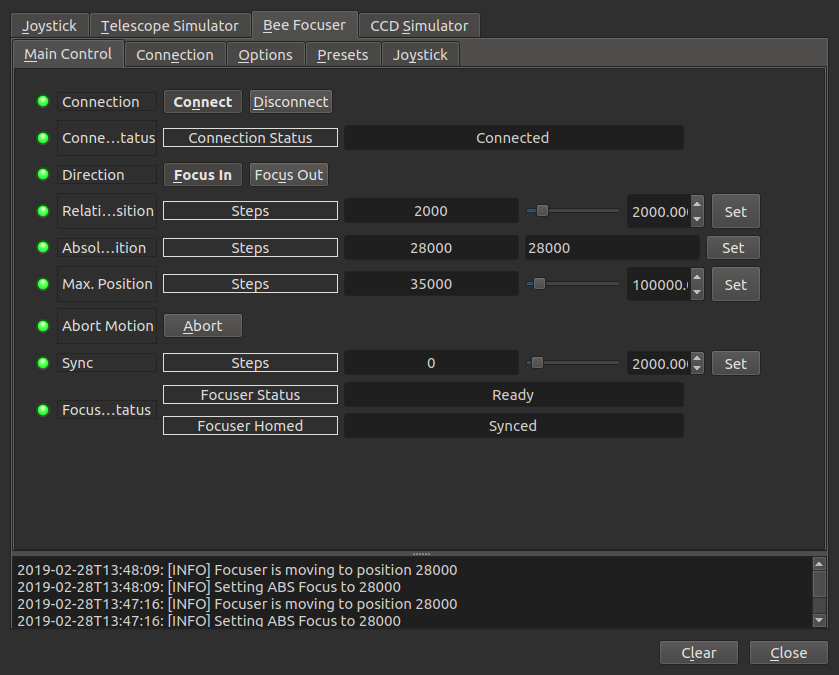
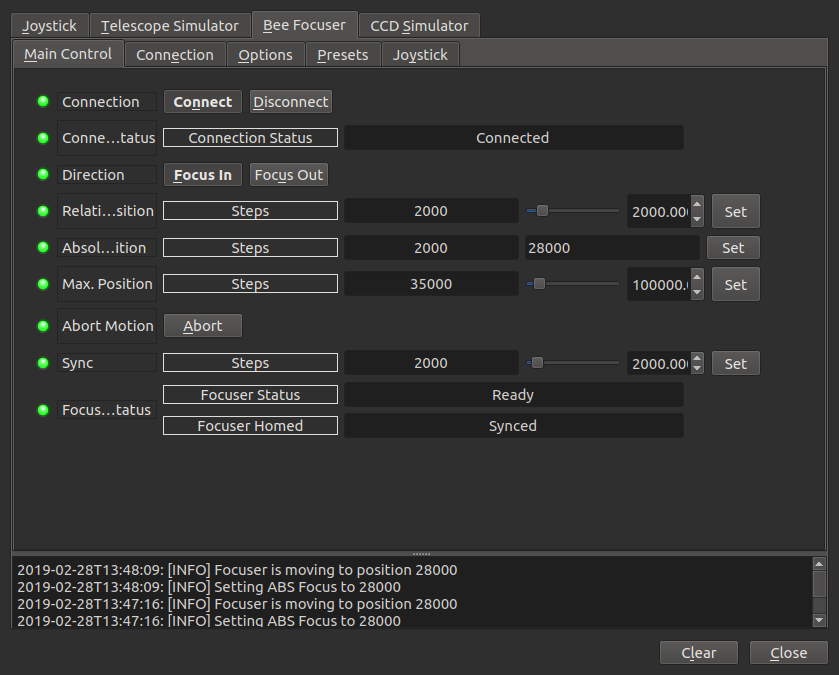
If the focuser's hardware supports a home switch the focuser will automatically move to it's home, or zero position, the first time INDI connects. The sync switch can also be used to set the Focuser's current absolute position. In this example the Sync switch is used to reset the absolute position to 2000.
alt text  alt text

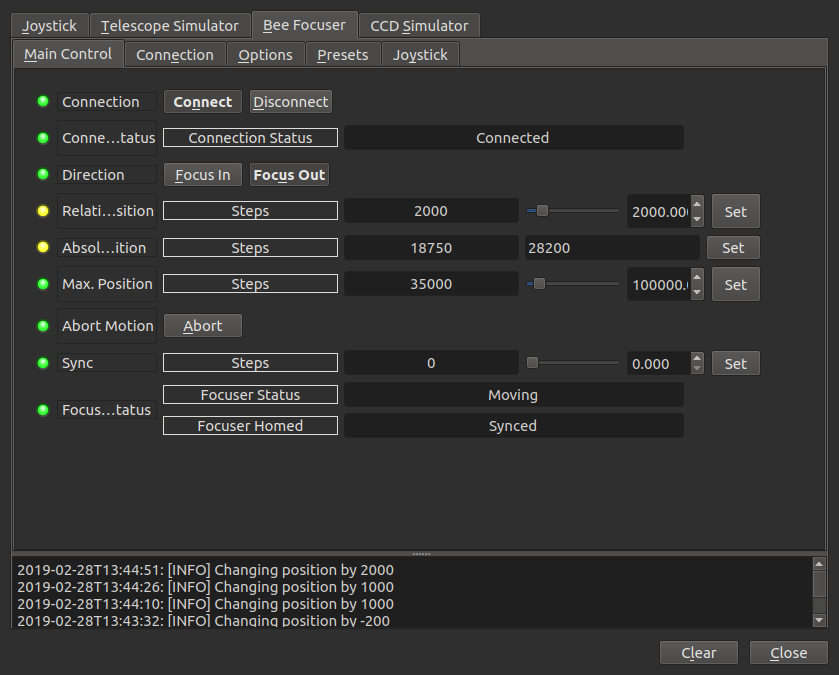
The focuser can move relative to it's current position. In this mode the user changes the Relative Position field number to the number of positions they want the focuser to move (2000 in this example) and presses set. Pressing Set again will cause the focuser to move again.
alt text

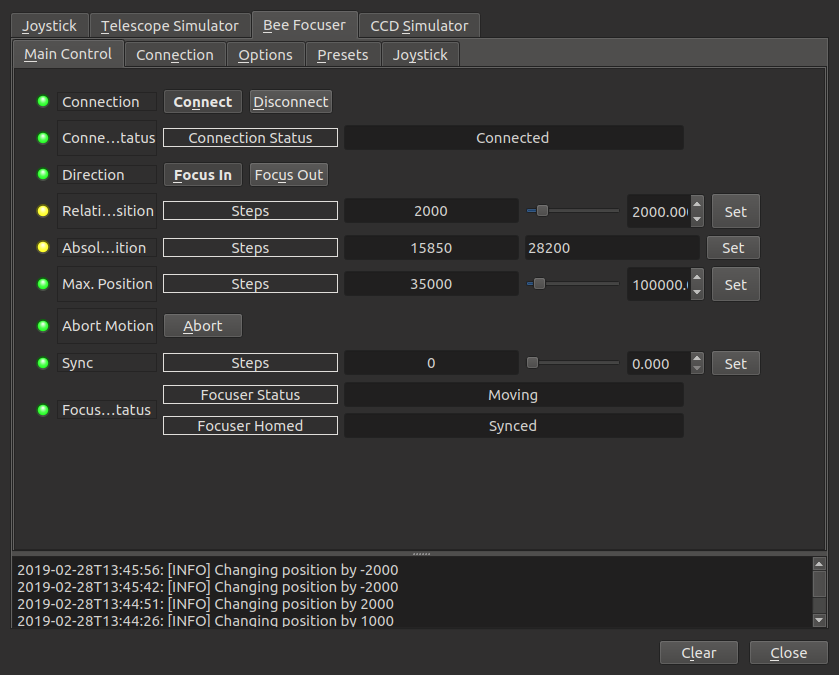
The Focus In and Focus Out buttons control the direction of relative movements. In the last example the Focus Out switch was active. In the example the Focus In switch was active and then the Relative Position Set button was pressed twice. The Focuser moved by -2000 each time.
alt text

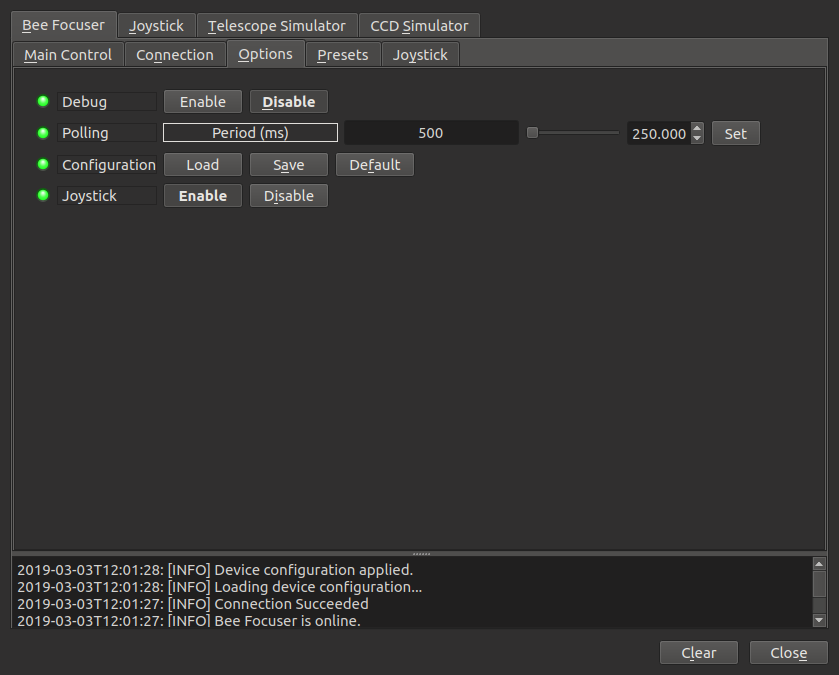
A game controller is a convenient way to manually operate the focuser. To use the game controller, set a relative focuser movement rate that works for setup (100 was good for me), turn on Joystick in the Options Tab
alt text

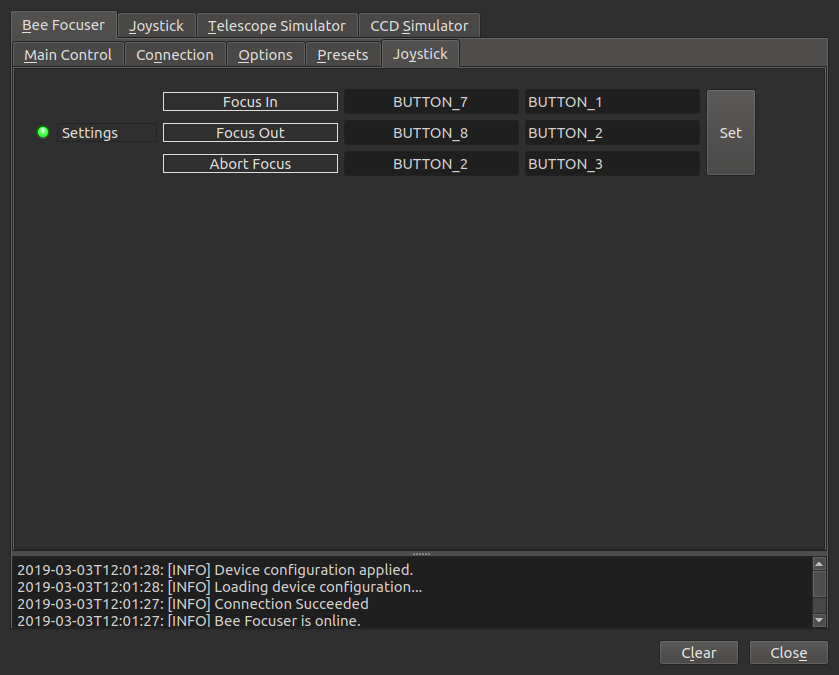
And set-up the Joystick Buttons in the Joystick TAB. I used the bottom buttons on my game controller to focus in and out (BUTTON_7 and BUTTON_8), and the "A" button to Abort (BUTTON_2).
alt text

I know that absolute position 28000 is close to my telescope's focal point, so I've added a 28000 entry to the Presets tab.
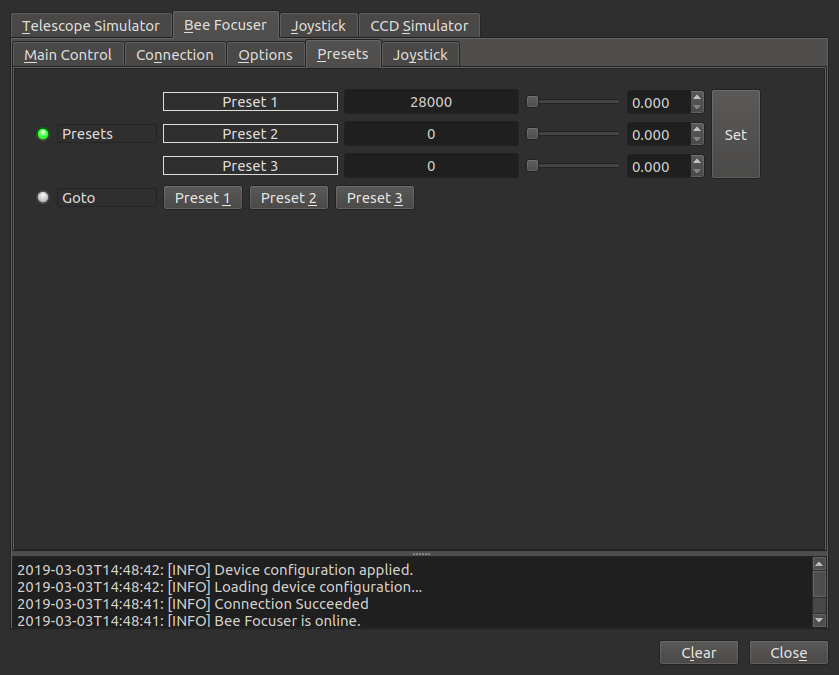
alt text

To connect to the actual focuser, switch the connection type to ethernet and enter the address of the focuser. The port is always 4999.
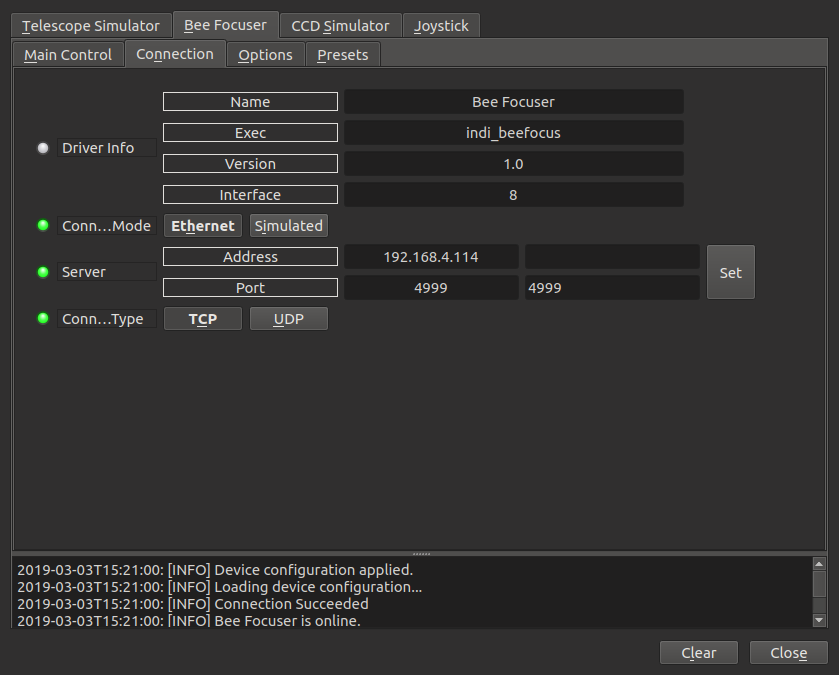
alt text

The main control tab of the actual focuser and simulated focuser are the same.
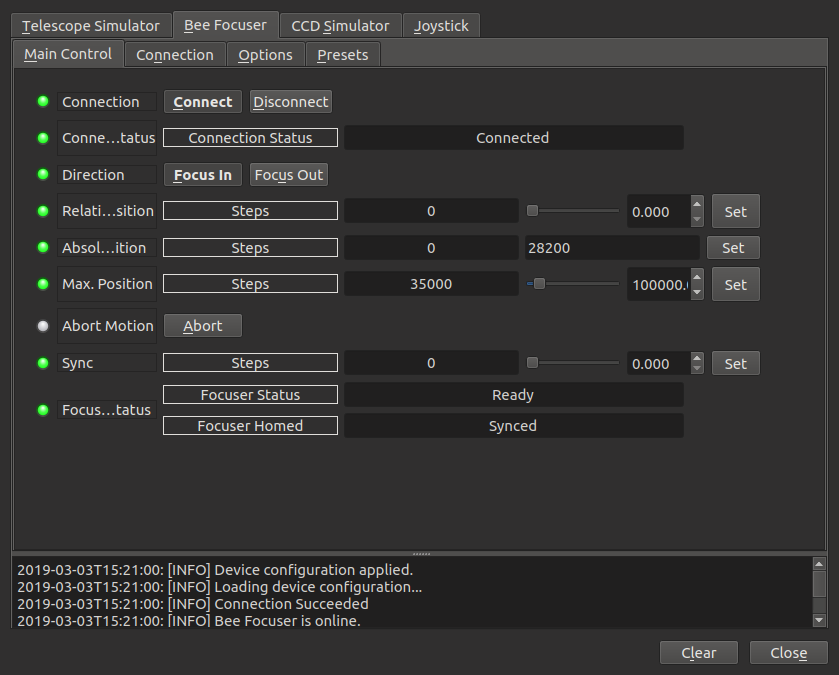
alt text

Rating
0 vote
Favoured:
0
  • 153.jpg

Listing Details

Website
github.com/glowmouse/beefocus
Driver Name
Bee Focuser
Driver Executable
indi_beefocus
Family
Focusers
Manufacturer
Open Source
Platforms
Linux, BSD, MacOS
Author
Andrew Brownbill
Version
1.0
Submit reviewPrintVisit
Reviews (0)

Be the first to review this listing!

« Previous listing in Focusers | Next listing in Focusers »
logo

© 2017-2025 by Ikarus Technologies. All rights reserved.

About

FAQ Buy Terms of Service Privacy Policy

Support

Downloads Manuals Warranty Support

Follow Us!

Facebook Twitter Instagram Youtube
  • Home
  • Products
    • Feature Tour
    • StellarMate OS
      • For Raspberry PIFor Raspberry PI
      • For Mini PCFor Mini PC
      • Bundle (Raspberry PI + Mini PCs)Bundle (Raspberry PI + Mini PCs)
    • StellarMate X Controller
    • StellarMate Pro 128GB
    • StellarMate Pro 64GB
    • Professional Services
    • Ekos Live
    • Distributors
      • USAUSA
      • Canada (Astronomy Plus)Canada (Astronomy Plus)
      • Canada (Telescope Canada)Canada (Telescope Canada)
      • Canada (Ontario Telescope)Canada (Ontario Telescope)
      • United Kingdom (First Light Optics)United Kingdom (First Light Optics)
      • United Kingdom (Dark Clear Skies)United Kingdom (Dark Clear Skies)
      • United Kingdom (365 Astronomy)United Kingdom (365 Astronomy)
      • EuropeEurope
      • SwitzerlandSwitzerland
      • ChinaChina
      • JapanJapan
      • Australia (Bintel)Australia (Bintel)
      • Australia (Optics Central)Australia (Optics Central)
    • View Cart
  • Downloads
    • StellarMateOS
    • Ekos
    • Mobile App
    • StellarMate Tools
    • Documentation
  • Devices
    • Adaptive Optics
    • Auxiliary
    • Cameras
    • Dust Caps
    • Light Box
    • Domes
    • Filter Wheels
    • Focusers
    • Mounts
    • Rotators
    • Observatory Controllers
    • Weather Stations
  • Support
    • First Time Setup
      • StellarMate X
      • StellarMate Pro
      • StellarMate OS
    • Manual
    • Ekos
      • Setup
      • Analyze
      • Capture
      • Focus
      • Guide
      • Align
      • Polar Alignment
      • Scheduler
      • Observatory
      • Mount
        • Mount
        • Meridian Flip
    • FAQ
      • StellarMate
      • StellarMate Pro
      • StellarMate X
      • StellarMate App
      • Mounts
      • Cameras
      • Focusers
      • EkosLive
      • Scheduler
      • Calibration
    • Tutorials
      • Web Manager
      • VNC Viewer
      • GPS Dongles
      • Beta Releases
      • Powered USB Hubs
      • Remote Support
      • Direct Ethernet
      • Ekos Debugger
      • Connecting Bluetooth Mounts
      • Backup Restore
      • Telescopius Mosaic Import
    • Ekos Live
    • Account
    • Submit Ticket
    • View Tickets
    • Survey