
How do I update StellarMate?
StellarMate OS uses Atomic Updates for system-level updates, released on a bi-monthly basis. KStars, along with INDI drivers, is distributed separately as a Flatpak and updated independently, also on a bi-monthly basis. Because Flatpaks live in your home directory, Atomic Updates never touch them. Therefore, your KStars installation, INDI drivers, images, documents, and settings are all preserved across a system update.
There are multiple ways to update StellarMate OS:
1. StellarMate App
Once connected to your StellarMate Device, you can update it directly through the app:
- Navigate to the Device tab.
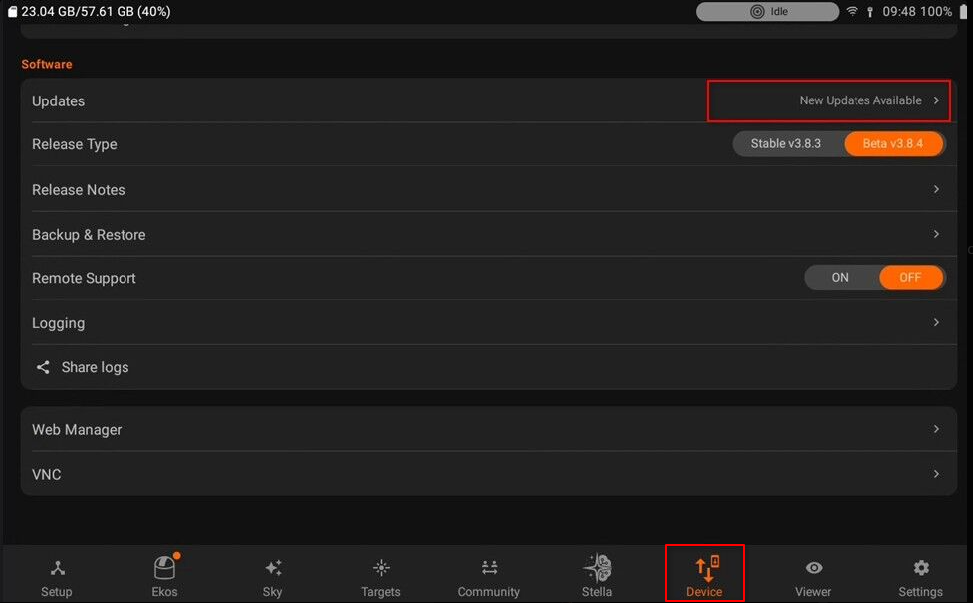
- Select Updates to update your StellarMate Device. If no delta updates are available, only the existing packages will be updated.
For further details, please refer to the StellarMate Manual.
2. StellarMate Tools
StellarMate Tools displays all StellarMate Devices connected to the same network, allowing you to manage and update your device(s) directly.
2.1 StellarMate Tools in StellarMate OS
StellarMate Tools can be accessed from the StellarMate Desktop: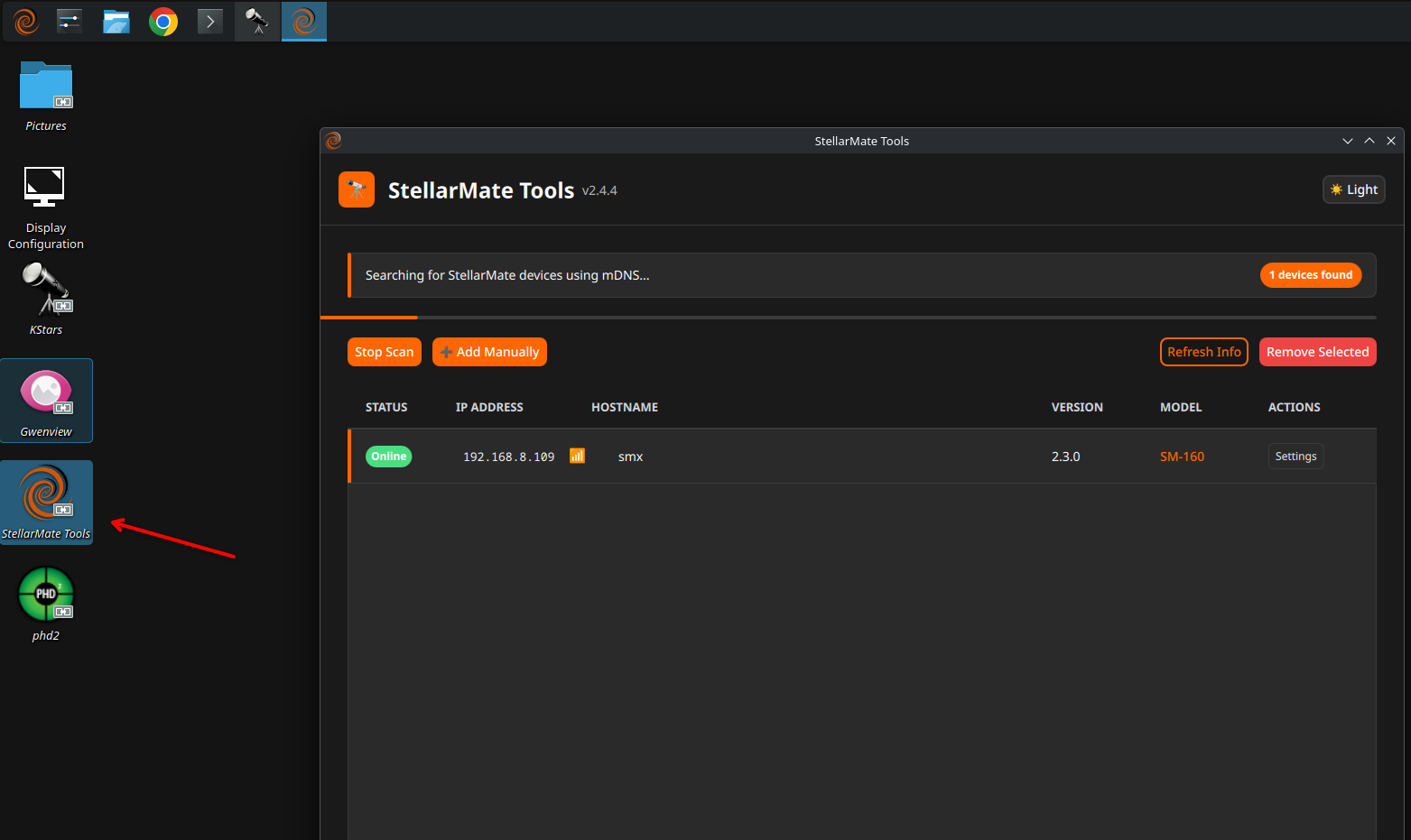
Click Settings to manage your StellarMate Device.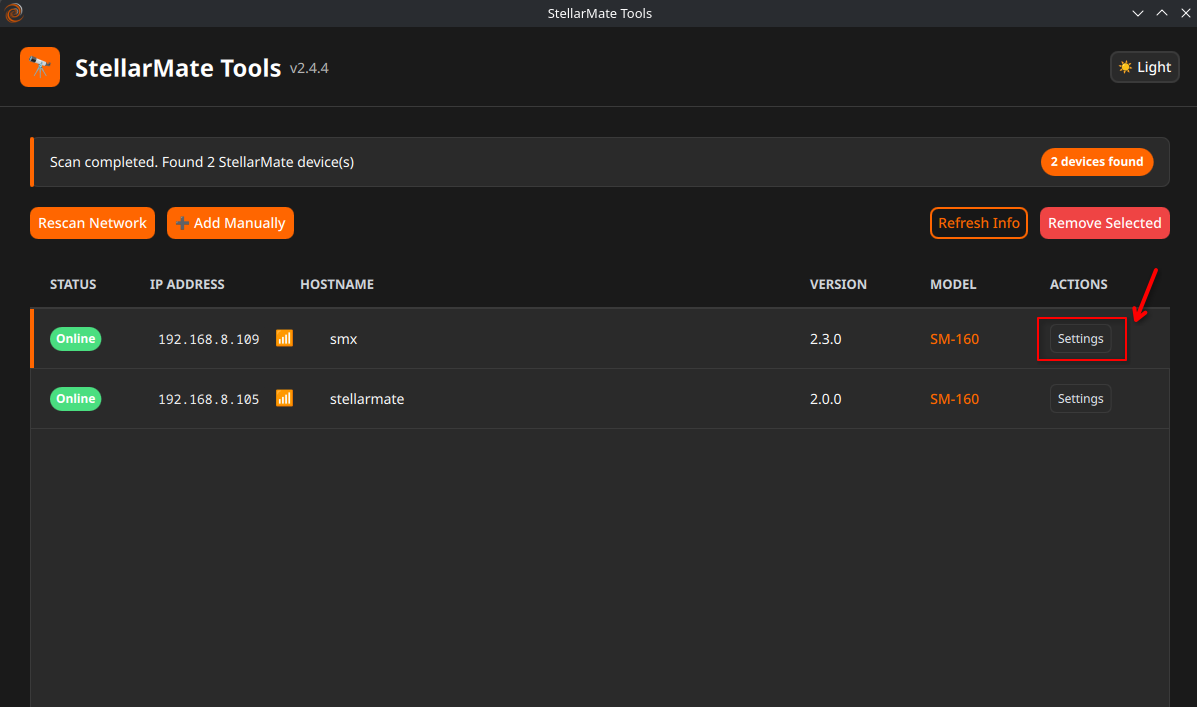
Click on Software Updater to check for updates.
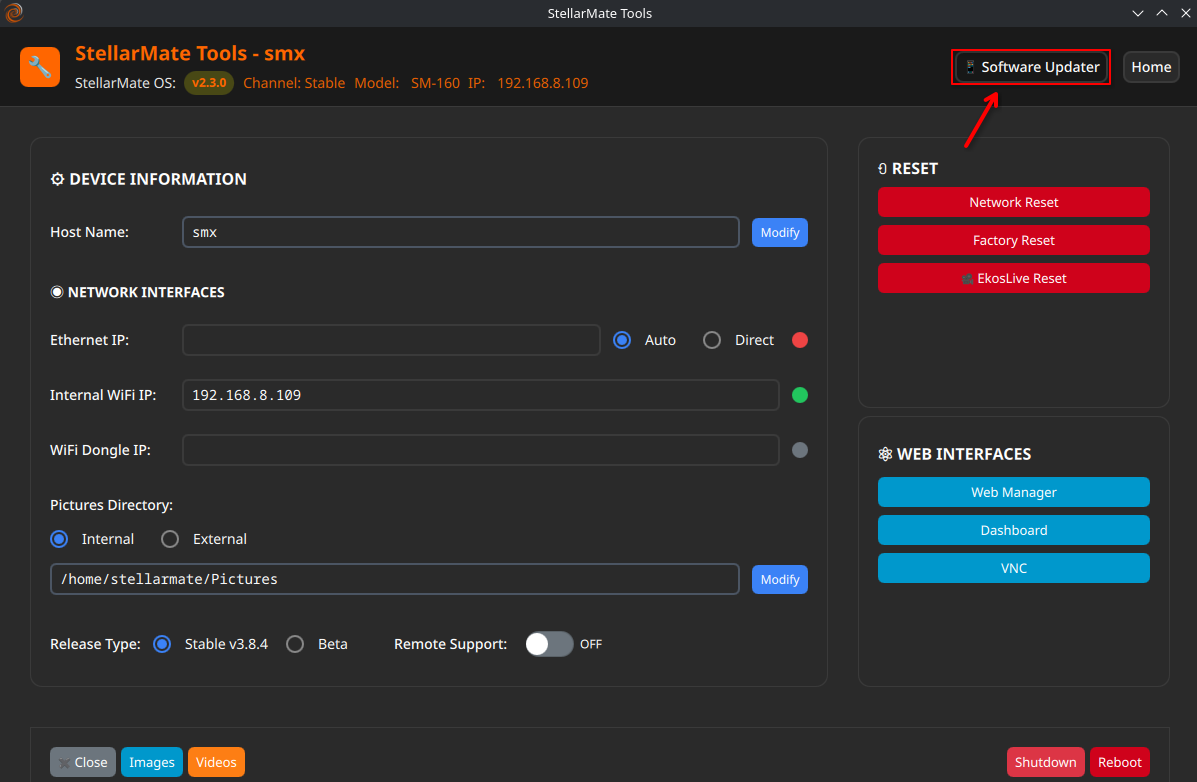
For a detailed walkthrough, please refer to the StellarMate Manual.
2.2 SM Tools in Windows/Mac
StellarMate Tools is also available for Windows and macOS. Once installed, it allows you to manage and update multiple StellarMate Devices simultaneously from your desktop.