StellarMate software are available on two channels:
- Stable: Updated after a lot of testing and feedback is released from users. Usually on quaterly basis.
- Beta: Nightly builds where most of the bugs fixes and new features land. It is unstable and should only be used to test out new features.
It is recommended to stay on the default Stable build unless there is a good reason (like new hardware support) in the beta release.
Software Channels
You can switch the software channel via the StellarMate App.
StellarMate must be connected to the internet in order to update and switch software channels.
To switch software channels in the StellarMate App, go to the Device tab in the App and scroll to the Software section. Make sure StellarMate is connected to the internet (via Ethernet cable or WiFi) before you switch the channels.
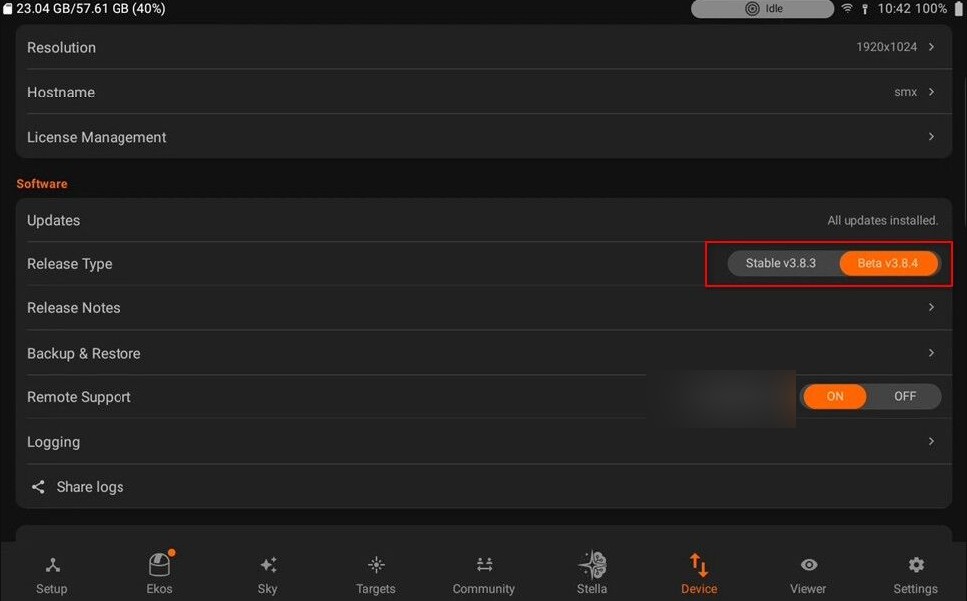
Switching channels would take a few minutes to complete depending on your internet connection.
Software Updates
When there is an update available for StellarMate, an icon will show up on Device tab. To update StellarMate, simply click the download button and wait for the the process to complete.
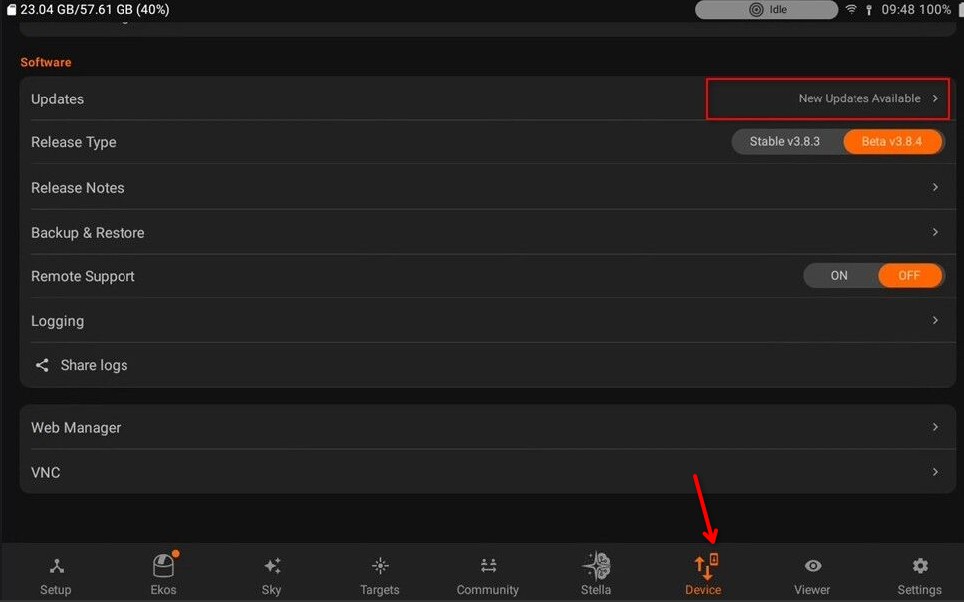
Updates are delivered as complete, tested packages and applied all at once to maintain system consistency. Delta updates download only the changes, reducing bandwidth usage. To roll back an update, open StellarMate App or StellarMate Tools and select a previous version. This ensures reliable recovery, especially for remote setups. If delta updates are available, you will see a popup with a detailed view.
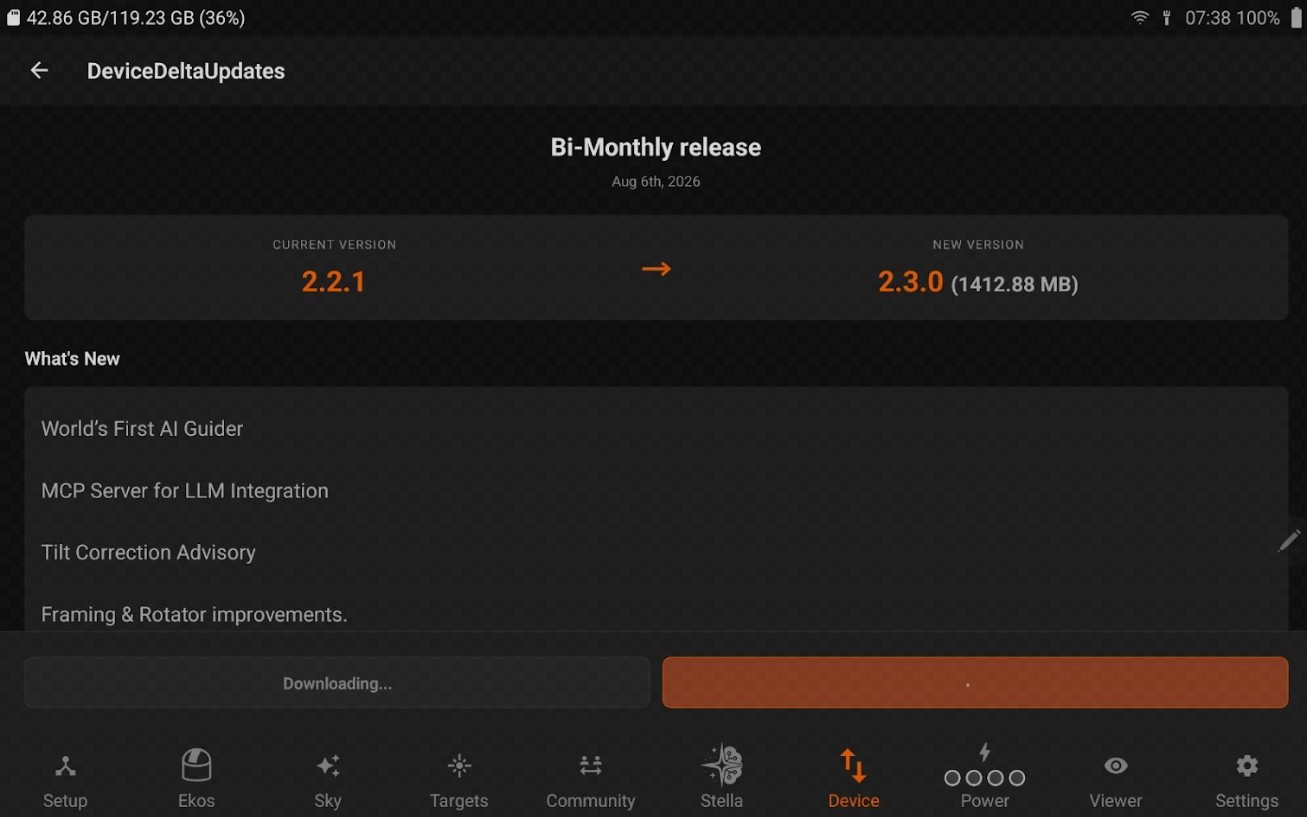
If there are no delta updates, then the system will only apply hot-fixes. Once the update is complete, you will be prompted to restart Stellarmate for the updates to take effect.