
How can I reset WiFi? How can I reset to Factory Defaults?
To reset StellarMate, go to the StellarMate Control Panel (stellarmate.local) and click on the Diagnostics icon on the side menu as illustrated below:
After clicking the icon, the diagnostics tab will open with lots of options, including:
- Reset Network: Click this button to reset WiFi settings in case you have issues accessing the unit via WiFi or HotSpot. It will restore StellarMate to HotSpot mode.
- Reset Factory: Click this button to reset all settings, including WiFi. This action is irreversible! Please make sure to back up any important data on the SD card!
StellarMate must now be restarted for the above to take effect.
You can also use the StellarMate Tools app available in SM Desktop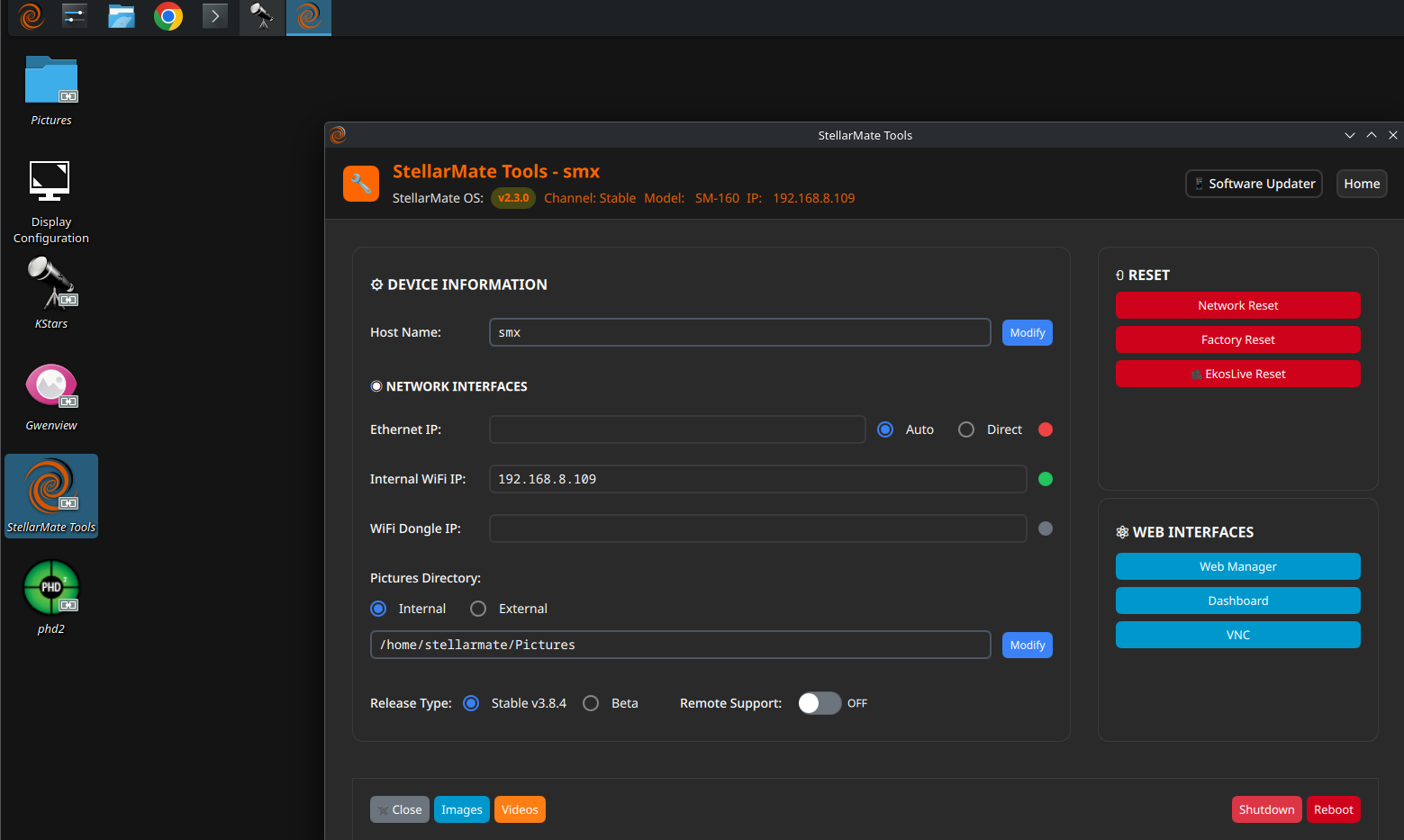
If you have trouble connecting StellarMate to your router via WiFi, please access your router and clear all cache and any entries for StellarMate.